

nihsok が 2025年08月11日03時12分49秒 に編集
初版
タイトルの変更
スタンドアローンで(も)動く電子ペーパーカレンダー&時計
タグの変更
micropython
電子ペーパー
時計
カレンダー
サイネージ
RaspberryPiPicoW
HAT
waveshare
メイン画像の変更
記事種類の変更
製作品
ライセンスの変更
(MIT) The MIT License
本文の変更
Raspberry Pi Pico + ePaper で動作するカレンダー/時計を作成する。 # はじめに 以前の記事「[SDRで受信した短波FAXを電子ペーパーに表示](https://elchika.com/article/271688f3-cbaa-4519-b620-0b6c65bb0244/)」では、Raspberry Piから電子ペーパー用に変換した画像を送っていたが、この方法だと2台用意して、どちらも面倒を見なければいけない。また、Pico側のIPアドレスを把握しておく必要がある。 このため、単独で完結するコンテンツとしてカレンダーや時計を表示することを考える。将来的には、電子ペーパー側からローカルサーバーないしインターネット上に用意された画像データを取得して表示させることも計画している。今回は単独で動作する部分について記述する。 ## 使用する機能 - NTPによる時刻合わせ - このため、時刻の正確さを保つためにWi-Fi接続が必要。接続方法は過去の記事「[今どきのESP32(ファームウェアv1.23.0)でのWi-Fi接続設定](https://elchika.com/article/f6bc3521-e7db-4ef9-9256-2396b3a75f21/)」 - タイマーによる定期的な実行 - 電子ペーパー用API - フォント:https://github.com/Tamakichi/pico_MicroPython_Multifont (micropythonの[framebuffer](https://docs.micropython.org/en/latest/library/framebuf.html)では 8x8 pxの文字しかサポートされていないが、もっと大きい文字を表示するため) ## 今回新しく作成する機能 - 現在の日付をもとにカレンダーを描画 - 現在の時刻をもとに時計を描画 - 文字の拡大表示 # 材料 - Raspberry Pi Pico W - 800×480, 7.5inch E-Ink display HAT for Raspberry Pi ++ハードウェアの準備は[以前の記事](https://elchika.com/article/271688f3-cbaa-4519-b620-0b6c65bb0244/)と同じ++ # スクリプト ## テキスト描画 ```python:text.py from mfont import mfont def put_text(fb,x,y,char,color=0x00,expand=1): mf = mfont(24) # 24px only currently mf.begin() for c in char: fontdump(fb,x,y,mf.getFont(ord(c)),mf.getWidth(),color,expand) x+= mf.getWidth()*expand mf.end() def fontdump(fb,x,y,font,w,color,expand): bn = (w+7)>>3 for i in range(0,len(font),bn): for j in range(bn): for k in range(8 if (j+1)*8 <= w else w%8): if font[i+j] & 0x80>>k: for ii in range(expand): for jj in range(expand): fb.pixel(x+(8*j+k)*expand+ii,y+(i//bn)*expand+jj,color) ``` 24x24でも小さいので、さらに等倍できるようにした。各ピクセルが単純に拡大されるだけなので、ややギザギザが目立つ。(今後の課題) ## カレンダー描画 ```python:calendar.py import utime import text def show(epd,tz=0): epd.Clear() epd.image1Gray.fill(0xff) now = utime.localtime(utime.time()+tz*3600) padding = (now[6] - now[2] % 7 + 2)%7 if now[1] == 2: dom = 29 if now[0]%4 == 0 and now[0]%100 != 0 or now[0]%400 == 0 else 28 elif now[1] in (1,3,5,7,8,10,12): dom = 31 else: dom = 30 days = [0]*padding + [d for d in range(1,dom+1)] height = 75 if len(days)>35 else 90 epd.image1Gray.rect(0,0,800,30,0x00,True) for i in range(1,7): epd.image1Gray.vline(i*114,0,640,0x00) mon = ('日','月','火','水','木','金','土') for i in range(7): text.put_text(epd.image1Gray,114*i+57-12,5,mon[i],color=0xff) for j in range(len(days)//7+1): epd.image1Gray.hline(0,30+height*j,800,0x00) for i in range(7): if j*7+i > len(days)-1: break if days[j*7+i] == 0:continue if days[j*7+i] == now[2]: epd.image1Gray.ellipse(114*i+57,j*height+52,18,18,0x00) offset = 6 if days[j*7+i] < 10 else 12 text.put_text(epd.image1Gray,114*i+57-offset,j*height+40,f'{days[j*7+i]}') epd.display(epd.buffer_1Gray) epd.delay_ms(2000) ``` 週の数に合わせて縦幅を調整している ## 時計描画 ```python:clock.py import math import utime import text def show(epd,tz=0): epd.Clear() epd.image1Gray.fill(0x00) time = utime.localtime(utime.time()+tz*3600) date(epd.image1Gray,time) clock(epd.image1Gray,time) epd.display(epd.buffer_1Gray) epd.delay_ms(2000) def date(fb,time): weekday = ['月','火','水','木','金','土','日'] text.put_text(fb,50,50,f'{time[0]}/令和{time[0]-2019}年',color=0xff,expand=2) text.put_text(fb,50,100,f'{time[1]}月{time[2]}日({weekday[time[6]]})',color=0xff,expand=2) text.put_text(fb,50,150,f'{time[3]}時{time[4]}分',color=0xff,expand=3) def clock(fb,time,center=(560,240),radius=200): fb.ellipse(center[0],center[1],radius,radius,0xff,True) #hour deg = 2*math.pi*(time[3]%12/12+time[4]/720) for i,j in ((-1,0),(0,-1),(0,1),(1,0)): fb.line(center[0]+i,center[1]+j, center[0]+int(radius*0.6*math.sin(deg)), center[1]-int(radius*0.6*math.cos(deg)),0x00) #minute deg = 2*math.pi*(time[4]/60) for i,j in ((0,0),(0,1)): fb.line(center[0]+i,center[1]+j, center[0]+int(radius*0.9*math.sin(deg)), center[1]-int(radius*0.9*math.cos(deg)),0x00) ``` ## メインスクリプト ```python:main.py from Pico_ePaper_7_5 import EPD_7in5 from machine import Timer import ntptime import utime import usocket as socket import wifi import clock import calendar ROUTINE_INTERVAL = 30 #min print(wifi.connect()) ntptime.settime() epd = EPD_7in5() calendar.show(epd,tz=9) #clock.show(epd,tz=9) epd.sleep() def routine(time): utime.sleep((ROUTINE_INTERVAL-utime.localtime()[4]%ROUTINE_INTERVAL)*60) epd.init() clock.show(epd,tz=9) epd.sleep() utime.sleep(60) epd.init() calendar.show(epd,tz=9) epd.sleep() utime.sleep(900) print(wifi.connect()) try: epd.init() #ここに外部からデータを取得して描画する処理を追加する epd.display(epd.image1Gray) epd.delay_ms(2000) epd.sleep() except Exception as e: print(e) #routine(0) timer = Timer() timer.init(mode=Timer.PERIODIC,period=(ROUTINE_INTERVAL-1)*60000,callback=routine) ``` - 実行頻度を設定している(30分ごとに、時計→カレンダー→その他) - waveshare提供のデモプログラム (https://github.com/waveshareteam/Pico_ePaper_Code/blob/main/python/Pico-ePaper-7.5.py) をPico_ePaper_7_5.pyとして同じディレクトリに配置 # 結果 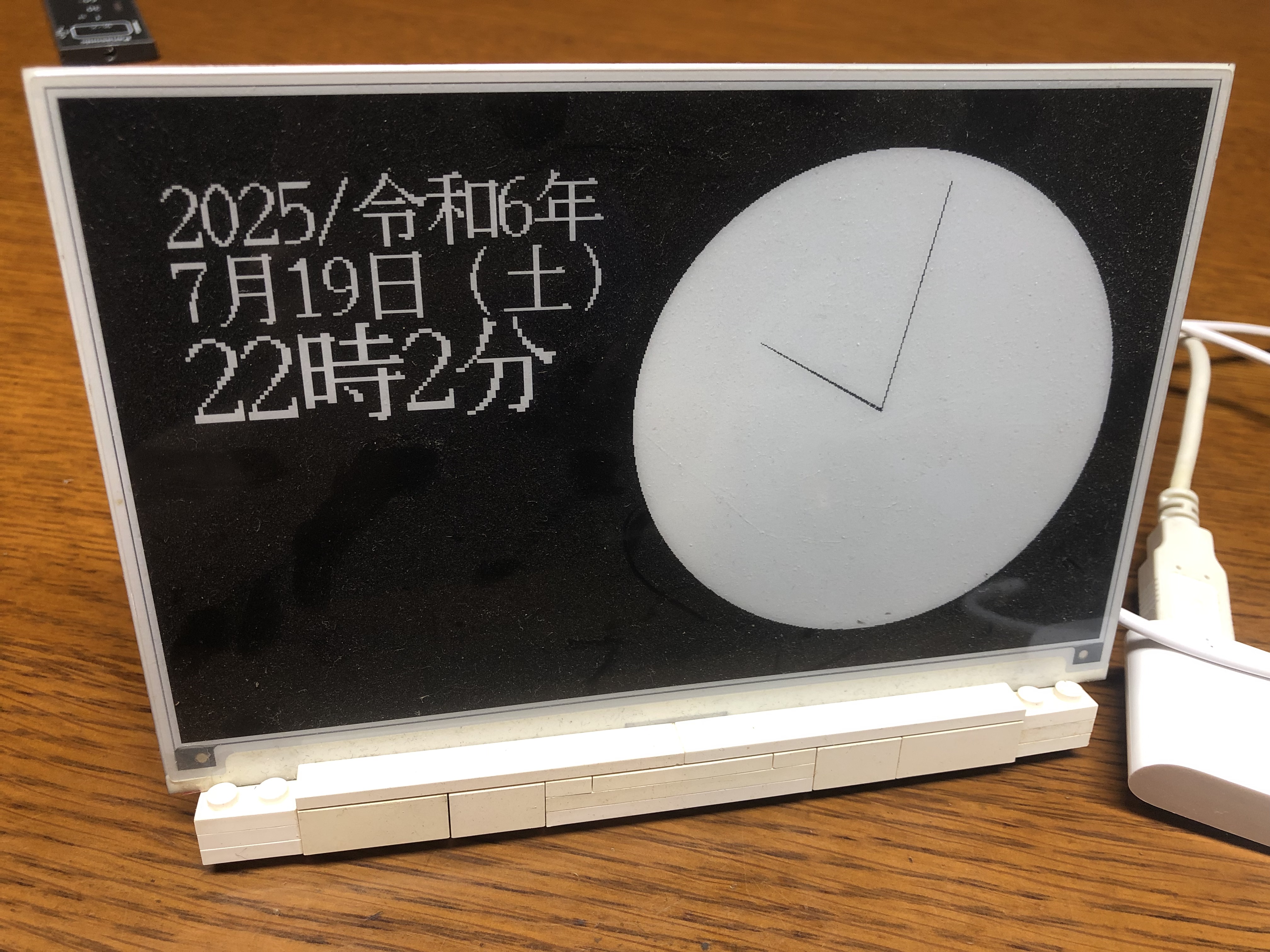 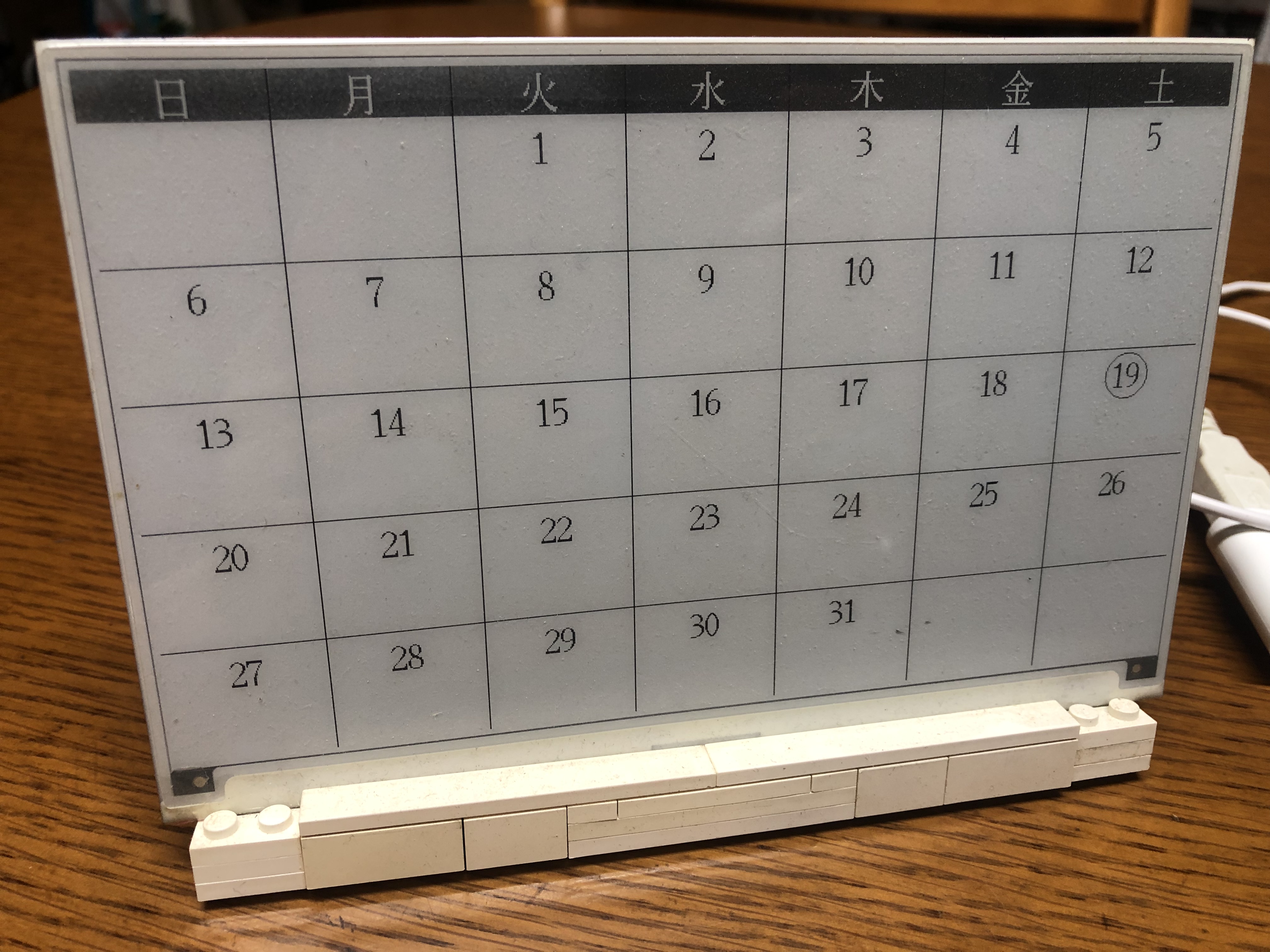 # おわりに 長期の動作確認はこれから。特に起動時だけの時刻設定でどれくらいずれていくかは検討事項。 様子を見つつ、ほかのコンテンツも作成していく。また、単独で表示できるコンテンツも思いつけば追加したい。